
AweSun Remote Desktop: The Top Remote Work Software Right Now in 2026
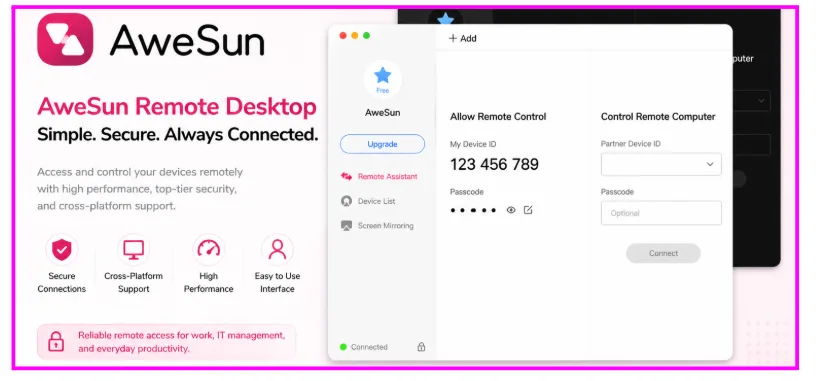
Remote work software is no longer just about accessing another computer. Modern teams need stable connections, strong security, and seamless cross-platform access to stay productive from anywhere.
Whether you’re working remotely, troubleshooting IT systems, or collaborating across devices, choosing the right remote control software directly impacts efficiency and workflow continuity.
The market is saturated. Yet the majority of tools were constructed in a different era – when remote access implied only occasional, low-stakes connections. Remote work today is cross-platform, continuous and performance sensitive. The software you select must correspond to such a reality.
AweSun remote desktop was created in this world. Quick, reliable, safe and made to do whatever you want to do, be it running servers, working with a remote team or playing a gaming session at 144 FPS.
About AweRay
AweRay is a global remote connectivity company focused on making device access simpler, faster, and more secure across different environments.
They have a product ecosystem of remote work, IT management, device access, and gaming. The flagship product is AweSun remote desktop – and it speaks volumes of the performance, security and accessibility the company has to offer.
Security is a core part of the AweRay ecosystem. Financial-grade encryption is employed by AweSun, the same grade of encryption that is employed by online banking systems, so that remote sessions are also secured end-to-end. Know more at: https://awesun.aweray.com/
The Real Problem With Most Remote Control Software
The original intentions of a traditional remote access solution are to be able to use the remote desktop to connect to the desktop from a distant location on a reliable network, once in a while. It is no longer that world.
Here are some of the skills needed for remote work in the modern world:
- Stable performance even on a fluctuating network.
- Cross-platform capabilities – Windows Workstations to Android phones
- Robust security of sensitive data on the move
- Low latency for real-time collaboration or games.
Most legacy tools have at least one of these issues. They do their best under the best of circumstances and don’t hold up as well under pressure. Recent 2025 industry data shows that hybrid work has become the permanent standard for over 35% of the global workforce. As we move through 2026, the reliance on high-performance infrastructure has never been higher.
What Separates Good Remote Control Software
Before you get into AweSun specifically, you should get to know what is really important in a remote desktop tool:
Low Latency: Latencies greater than 200ms make interfaces feel slow. Quality software seeks to achieve the following goal: delivering responsive remote interactions suitable for real-time collaboration and remote support.
Security without compromising speed: There are lots of tools that require you to choose between the level of security you require and speed. Modern cryptographic standards eliminate that compromise.
Real Cross-Platform Support: Professionals work on the Windows desktop, MacBooks, tablets and phones. Friction is caused by a tool that does not work well on one or two platforms.
AweSun Remote Desktop: What It In fact Provides.
AweSun is designed as a professional remote desktop solution rather than a basic screen-sharing tool. It is a full remote control software program designed to be used professionally and advanced personally.
In reality, AweSun delivers what it promises:
Ultra-Low Latency
Under standard conditions, latency above 20ms can hinder real-time interaction. AweSun achieves a sub-20ms benchmark, making it ideal for high-stakes tasks like IT troubleshooting, remote video editing, and competitive gaming.
144 FPS Remote Gaming Support
Most remote desktop solutions limit their performance to 30-60 FPS which is sufficient for documents and static content, but not for dynamic content. AweSun’s performance reaches a maximum of 144 FPS, which is suitable for remote gaming, creative workloads, and visually demanding tasks. — a massive advantage for gamers and content makers.
Financial-Grade Security
AweSun uses end-to-end encryption technologies designed to protect remote sessions and sensitive data during transmission. AweSun’s servers do not retain any session information when the connection is terminated.
Full Cross-Platform Support
Seamless device switching without reinstallation and reconfiguration needed: including Windows, macOS, iOS, Android, and Linux.
Built-In File Transfer
There is no third-party software to be used; transferring files between local and remote systems is included in the interface.
AweSun vs AnyDesk vs TeamViewer
What are the comparisons between AweSun remote desktop and the most popular substitutes?
| Feature | AweSun Remote Desktop | AnyDesk | TeamViewer |
| Latency | Ultra-low (<20ms) | Low | Moderate |
| Frame Rate | Up to 144 FPS | Up to 60 FPS | Up to 60 FPS |
| Security | Financial-grade encryption | TLS 1.2 | AES 256-bit |
| Cross-Platform | Win/Mac/iOS/Android/Linux | Win/Mac/iOS/Android | Win/Mac/iOS/Android |
| Free Plan | Yes – generous free tier | Limited | Limited |
| Remote Gaming | Yes – 144 FPS optimised | No | No |
| Mobile Access | Full control, smooth UI | Basic | Basic |
| Setup Speed | Under 2 minutes | ~5 minutes | ~5 minutes |
The trend is evident. AweSun not only does better in the metrics that are more important to contemporary remote work: latency, frame rate, and security, but also has a more accessible free tier than competitors.
Who Can Benefit From AweSun Remote Desktop?
AweSun Distributed Teams & Remote: Professionals provide a consistent remote environment which can work uniformly wherever the team members are. Access to desktops, applications and files, in real time, no matter the time zone.
IT Administrators: IT teams can remotely troubleshoot systems, deploy software updates, and provide technical support without requiring on-site access. , deploy software, and monitor them, without having to wait for a long time, as other tools would require. Technical documentation is available in the AweSun HelpCenter.
Small Businesses & Freelancers: AweSun providesprofessional remote access features with a simple setup suitable for freelancers and small businesses. The free option is quite generous, and paid plans are quite competitive with those offering much less for free.
Why AweSun Remote Desktop is better than the competition.
The market of Awesun remote desktop is not limited. The difference between AweSun is not a single feature – it is a set of performance, security, and ease of use, all in one package, with no compromise.
The competitors such as TeamViewer and AnyDesk have established a good reputation yet they were developed when remote work had a different appearance. Many legacy remote desktop tools were originally designed around older remote access workflows and may not fully address the needs of modern hybrid work environments.
Gartner research on remote work technology suggests that when organisations invest in high-performance remote access technology, employee productivity and IT resolution time can be improved. The performance profile of AweSun is in line with the recommendations of that research.
By 2026, remote work isn’t just about screen sharing; it’s about seamless integration. AweSun’s AI-optimized streaming engine predicts bandwidth shifts to maintain that 144 FPS clarity even when your local network fluctuates.
Conclusion:
Programmable remote control is no longer a luxury; it’s a necessity. Tools that enable remote work, IT administration and gaming must be reliable, secure and consistent on all platforms.
Both AweSun and all of it deliver: sub-20ms latency, 144 FPS support, financial-grade encryption and a setup measured in minutes. These are enhancements to the competition, not just; these are enhancements for what remote desktop software can be.
AweSun is not just an alternative in a crowded space for IT professionals, remote workers, gamers, and small businesses. For users looking for reliable remote access across work, IT support, and personal use, AweSun provides a modern remote desktop solution focused on performance, security, and ease of use.
FAQs:
1. What is the difference between a VPN and remote desktop software?
VPNs provide an extension of your network access, but do not provide access to the desktop or interface of a remote machine. Remote control programs such as AweSun can view, communicate with, and control a remote computer in real time – an entirely new feature.
2. Is AweSun secure enough for business use?
Yes. AweSun implements financial-grade end-to-end encryption – the same standard that online banking uses. Every session is secured in transit, and no session information is saved in AweSun servers once the linkage is over.
3. Can AweSun be used for remote gaming?
AweSun can support up to 144 FPS with a latency of less than 20ms in a normal network environment. This is what makes it one of the few remote control software choices which are really game-friendly, with frame rate and input response time having paramount importance.