
QuickBooks Hosting Pricing: What Businesses Should Know Before Choosing a Provider
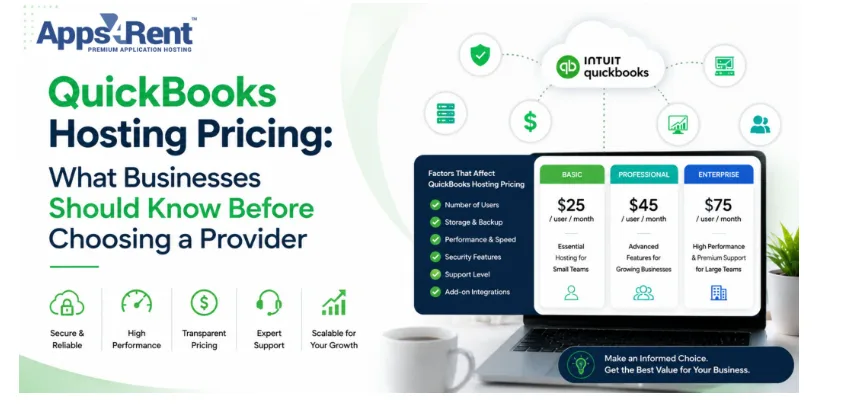
Choosing the right accounting setup often comes down to understanding the real cost behind it. QuickBooks hosting pricing can vary more than most businesses expect. You may see low starting rates, but the final cost often depends on several moving parts, and knowing what affects pricing helps you avoid surprises later. It also helps you compare providers more clearly, rather than guessing. This matters whether you run a small business or manage a growing team. When you understand the details, you can choose a plan that fits your work style. This guide breaks down the key factors in simple terms so you can make a smart decision.
Top 10 QuickBooks Hosting Pricing Factors Businesses Should Know
QuickBooks hosting pricing is not based on a single number. Providers build their plans using different cost elements. These factors affect how much you pay each month and what you get in return. Below are the most important points to consider before choosing a provider.
1. Number of Users
The number of users directly impacts your hosting cost. More users mean more system resources, and providers often charge per user, so costs rise as your team grows.
Here’s how this affects your pricing:
- Each user needs a license or an access seat
- Multi-user setups may require higher server capacity
- Discounts may apply for larger teams
After reviewing this, you can see why planning user count matters. A small team pays less, but sudden growth can increase costs fast. It helps to choose a provider that allows easy scaling.
2. Hosting Plan Type
Different hosting plans come with different pricing levels. Shared hosting costs less, while dedicated hosting costs more. So, your choice depends on your workload and performance needs.
This leads to key plan differences:
- Shared servers reduce costs, but share resources
- Dedicated servers give full control but cost more
- Cloud-based plans offer flexibility with moderate pricing
After this comparison, you can decide what fits your needs. A simple setup works for small teams. Larger businesses often need better performance and stability.
3. Storage Requirements
Your data size affects how much storage you need. More storage means higher costs. Businesses with large files or long records usually pay more.
Here’s what impacts storage pricing:
- File size of your QuickBooks data
- Backup storage is included in the plan
- Extra charges for additional storage
Once you understand this, you can avoid overpaying. Many businesses choose more storage than needed. Start with what you use and upgrade when required.
4. Level of Security
Security plays a big role in pricing. Strong protection features often come at a higher cost. This includes data encryption and secure access controls.
Security features that affect pricing include:
- Firewall protection and monitoring
- Data encryption standards
- Multi-factor authentication
After looking at these features, you can judge their value. Strong security helps protect financial data. It may cost more, but it reduces risk.
5. Backup and Recovery Options
Backup services keep your data safe. Providers offer different backup levels, which affect pricing. More frequent backups usually cost more.
Important backup factors include:
- Daily or real-time backups
- Data recovery options
- Backup storage limits
Understanding this helps you avoid data loss. Basic backups may work for small businesses. Larger companies often need stronger recovery options.
6. Customer Support Level
Support quality can change pricing. Some providers include basic support, while others offer premium help. Faster response times usually come at a higher cost.
Support features that impact pricing:
- 24/7 customer support availability
- Dedicated account managers
- Priority issue resolution
After reviewing this, you can match support to your needs. If your business depends on uptime, better support is worth the cost. Smaller setups may not need premium support.
7. Software Licensing Costs
QuickBooks hosting pricing may or may not include software licenses. Some providers bundle it, while others charge separately. This can change your total cost.
Key licensing details include:
- Monthly or yearly license fees
- Version of QuickBooks included
- Add-on software costs
Once you check this, you avoid hidden charges. Always confirm what is included in the plan. This helps you compare providers more accurately.
8. Customization Needs
Some businesses need custom setups. These may include special configurations or integrations. Custom services often increase the price.
Customization factors include:
- Integration with other tools
- Custom server settings
- Workflow-specific configurations
After understanding this, you can decide if customization is needed. Standard setups work for many users. Custom options suit businesses with specific needs.
9. Data Migration Services
Moving data to the cloud can cost extra. Some providers include migration, while others charge separately. The complexity of your data also matters.
Migration pricing depends on:
- Size of your existing data
- Time required for transfer
- Level of technical support needed
Knowing this helps you plan your budget better. Simple migrations cost less. Complex data transfers may require expert help.
10. Contract Length and Billing Cycle
The way you pay affects overall pricing. Monthly plans cost more per month, while yearly plans offer discounts. Long-term contracts may lower costs.
Billing factors that influence pricing:
- Monthly vs annual payment plans
- Discounts for long-term commitments
- Early cancellation charges
After reviewing this, you can choose what suits your budget. Monthly plans offer flexibility. Annual plans help you save money over time.
Conclusion
QuickBooks hosting pricing depends on many factors, not just a base rate. Each business has different needs, so costs can vary widely. When you understand user count and support, you make better choices. Always review what is included in the plan before you decide, as this helps you avoid extra charges. A clear comparison leads to a smarter investment. Apps4Rent offers flexible options that can match different business needs without overcomplicating the process.