
5 Best Practices for Enterprise Software Development in 2026
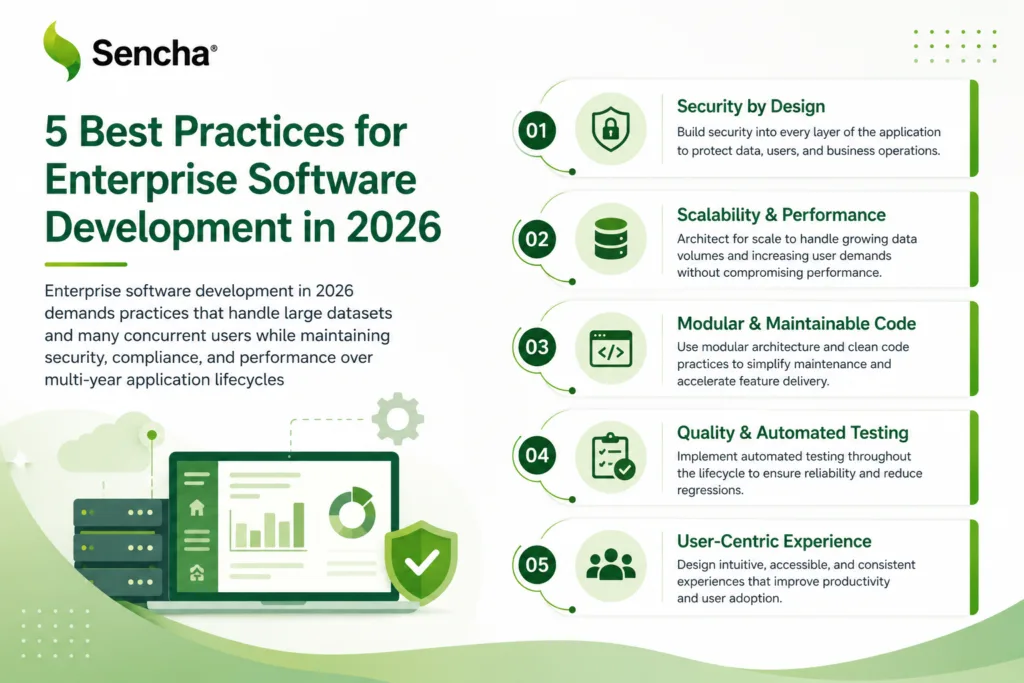
Enterprise software development in 2026 demands practices that handle large datasets and many concurrent users while maintaining security, compliance, and performance over multi-year application lifecycles. This guide covers five practices that consistently produce better outcomes for enterprise teams: standardizing component libraries, designing for performance from day one, building accessibility into the foundation, planning for long-term maintenance, and structuring teams for scale. Each practice includes guidance on what good looks like, common mistakes to avoid, and how to evaluate progress over time.
Key Takeaways
- Standardized component libraries reduce duplicated work and improve consistency across enterprise applications.
- Performance architecture must be planned from day one for applications expected to handle large datasets and many concurrent users.
- WCAG 2.2 accessibility compliance is mandatory for many enterprise applications and a baseline expectation for nearly all of them.
- Long-term maintenance planning prevents technical debt accumulation across multi-year application lifecycles.
- Structured development teams with defined architect roles scale more effectively than flat team structures as projects grow.
- Framework selection affects total cost of ownership more than initial development speed.
Enterprise applications benefit significantly from backward compatibility guarantees across major framework versions.
Enterprise applications operate under constraints that consumer applications rarely encounter. They handle very large datasets in real time while serving thousands of concurrent users, and they must meet security and compliance requirements that consumer applications can ignore. Financial services applications must meet SOX and other regulatory compliance requirements. Healthcare systems need HIPAA certification. Manufacturing platforms often require strict uptime guarantees that consumer applications never have to provide.
These constraints shape every development decision. Framework choice, architecture patterns, testing strategies, and deployment processes all operate under enterprise-specific requirements. The five practices in this guide consistently produce better outcomes for enterprise teams across these constraints, regardless of the specific industry or framework an organization uses.
Practice 1: Standardize Component Libraries
Enterprise applications require consistent user interfaces across many modules and screens. Component standardization meaningfully reduces development time and supports design consistency, but only when teams approach it as a discipline rather than as an aspiration.
The component reusability problem
Most enterprise teams rebuild the same UI patterns repeatedly. Data grids, forms, navigation menus, and modal dialogs get recreated for each new module or application, which wastes development time and produces inconsistent user experiences across applications that share a user base. A standardized component library solves this problem by providing pre-built, tested components that teams reuse across projects. The library should cover data grids, charts, forms, navigation components, and the specialized widgets that enterprise applications repeatedly need.
Building a component strategy
Start with an audit of existing UI patterns across applications. Identify the most common components that appear in multiple projects and make them the standardization priority. Document component APIs, usage guidelines, and customization options, and create a component showcase that demonstrates each component’s capabilities. This documentation becomes the single source of truth for UI standards, which matters more as more teams contribute. Establish governance for component updates and new additions, with clear rules about who can modify existing components and how new components get approved into the library.
Enterprise component requirements
Enterprise components need capabilities that consumer applications do not require. Data grids must handle very large datasets with column sorting, filtering, and grouping. Charts need to display real-time data updates without performance degradation. Form components need field validation, conditional logic, and integration with enterprise authentication systems. Navigation components must support role-based access controls and deep linking. Frameworks such as Ext JS provide 140+ enterprise-ready components out of the box, which address many of these requirements without custom development and give teams a strong baseline to standardize on.
Measuring success
Track component adoption across development teams over time, and watch for the gap between expected adoption and actual adoption. Successful component libraries see strong adoption within the first several months of implementation, while libraries that take longer typically reveal underlying issues in documentation, governance, or component quality. Monitor development velocity for new screens built with the library versus screens built from scratch, and watch for user experience consistency through usability testing. Applications built with standardized components typically show higher user satisfaction and lower training requirements.
Practice 2: Design for Performance From Day One
Enterprise applications often handle large datasets and significant concurrent user loads from the initial release. Performance optimization cannot be an afterthought because the architecture decisions that affect performance most are the ones made earliest, before performance problems are visible.
Understanding enterprise performance requirements
Enterprise applications face performance requirements that consumer applications rarely encounter. Financial trading platforms need very fast response times for market data updates. Manufacturing dashboards display real-time sensor data from many devices. HR systems serve large employee bases across global organizations. These requirements exceed what most general-purpose web frameworks handle without specialized optimization. Standard pagination breaks down with very large datasets. Traditional rendering approaches cause browser freezes when displaying large data tables.
Performance-first architecture patterns
Design the data layer for large datasets from the start. Implement server-side filtering, sorting, and pagination that scale to the data volumes the application will actually see in production. Use database indexing strategies optimized for the application’s specific query patterns. Build client-side rendering that displays only the visible data through virtual scrolling, which keeps DOM size and memory usage constant regardless of total dataset size. Implement caching strategies that balance data freshness with performance, caching frequently accessed data locally while maintaining real-time updates for the data that matters most.
Framework performance considerations
Choose frameworks designed for enterprise-scale performance. Consumer-focused frameworks often struggle with the data volumes and concurrent user loads that enterprise applications require. Evaluate framework performance under realistic conditions, with the application’s actual data volumes, user loads, and network conditions. Synthetic benchmarks and small demos rarely predict real-world enterprise performance. For data-intensive scenarios, frameworks with native virtualization and built-in performance optimization typically produce better outcomes than frameworks that rely on third-party plugins for the same capabilities.
Monitoring and optimization
Implement performance monitoring from the first deployment. Track page load times, data rendering performance, and user interaction responsiveness across the browsers and devices the user base actually uses. Set performance budgets for key user workflows, with defined maximum response times for critical operations such as data loading, form submission, and report generation. Create automated performance testing that runs with every deployment, so the team catches performance regressions before they reach production users rather than after.
Practice 3: Build Accessibility Into the Foundation
Accessibility compliance is not optional for enterprise applications. WCAG 2.2 standards are legal requirements in many jurisdictions and a baseline expectation in nearly all enterprise environments. Building accessibility into an application from the start is significantly less expensive than retrofitting it later, and the framework’s accessibility posture has a direct effect on how much work the team has to do.
Enterprise accessibility requirements
Enterprise applications serve diverse user populations, including employees with disabilities. Legal requirements such as the Americans with Disabilities Act in the United States and equivalent regulations in other jurisdictions mandate accessible interfaces for many organizations. Accessibility extends beyond compliance to practical business value: accessible applications provide better user experiences for everyone, not only for users with disabilities. Clear navigation, consistent layouts, and keyboard shortcuts improve productivity for every user, which compounds across very large user populations.
Implementing accessibility standards
Start with semantic HTML structure that screen readers can navigate effectively. Use proper heading hierarchies, form labels, and ARIA attributes to provide context for assistive technologies. Ensure keyboard navigation works for every interactive element, because users must be able to access every feature using only the keyboard. This includes data grids, modal dialogs, dropdown menus, and any custom components. Implement sufficient color contrast that meets WCAG guidelines, so text remains readable for users with visual impairments or color blindness. Color should not be the only way information is conveyed.
Testing accessibility
Use automated tools such as axe-core to catch common issues during development, including missing alt text, insufficient color contrast, and improper ARIA usage. Conduct manual testing with actual screen readers including JAWS, NVDA, VoiceOver, and Narrator, because automated tools catch only a portion of real accessibility issues. Manual testing reveals navigation problems and confusing user flows that automated tools cannot detect. Where possible, include users with disabilities in the testing process; their feedback identifies real-world barriers that technical testing typically misses.
Framework accessibility support
Choose frameworks with built-in accessibility features. Modern enterprise frameworks include ARIA support, keyboard navigation, and screen reader compatibility as standard features rather than as add-ons. Verify that framework components meet accessibility standards in practice, because not every UI library provides genuinely accessible implementations. Test components with screen readers before committing to a framework. The Ext JS Modern toolkit includes WCAG 2.2 accessibility features across components, which reduces the per-component compliance work that other frameworks require teams to do themselves.
Practice 4: Plan for Long-Term Maintenance
Enterprise applications often operate for many years, sometimes a decade or longer. Maintenance planning must address framework updates, security patches, feature additions, and technology migrations over extended lifecycles. The decisions made early in an application’s life determine how expensive it will be to maintain across those years.
The enterprise maintenance challenge
Enterprise applications cannot be rewritten every few years like consumer applications. The cost and risk of replacing mission-critical systems make long-term maintenance essential to the application’s economics. Framework choices made today determine maintenance costs for the next decade or longer. Frameworks with poor backward compatibility create expensive upgrade cycles that consume engineering capacity that could otherwise go to features. Frameworks without long-term support leave applications stranded on outdated versions that cannot receive security patches.
Maintenance-friendly architecture
Design modular architectures that isolate framework dependencies. Create abstraction layers between business logic and UI frameworks where it makes sense, which makes framework migrations less disruptive when they eventually become necessary. Document architectural decisions and their rationale so future maintenance teams understand why specific approaches were chosen and what constraints influenced those decisions. Implement comprehensive testing suites that verify application behavior across framework updates, because automated tests catch breaking changes before they reach production users.
Framework longevity considerations
Evaluate framework maintenance policies and long-term support commitments before adopting a framework for a multi-year project. Enterprise frameworks should provide backward compatibility guarantees and predictable update cycles. Consider the vendor’s business model and stability, because frameworks without sustainable commercial or institutional backing may lack the resources for long-term enterprise support. Assess the framework’s enterprise customer base: frameworks used by large organizations typically receive more attention to enterprise requirements and longer support lifecycles than frameworks used primarily for smaller projects.
Upgrade strategy planning
Develop upgrade strategies before they are needed. Plan how the team will handle major framework version updates, including testing procedures, rollback plans, and user communication. Budget for regular maintenance cycles, with development resources allocated for framework updates, security patches, and dependency management on a predictable schedule. Create upgrade testing environments that mirror production configurations, and test framework updates against real data and user workflows before deploying to production. For Ext JS, the Sencha Upgrade Adviser scans existing codebases and identifies changes needed for version migration, which keeps upgrade work predictable.
Practice 5: Structure Teams for Scale
Enterprise development requires team structures that can handle complex requirements while maintaining development velocity as teams grow. The structure that works for ten developers often breaks down at fifty, and the structure that works at fifty needs adjustment at two hundred.
The enterprise team challenge
Enterprise applications involve multiple stakeholders with competing priorities. Business users need specific functionality. IT operations require security and compliance. Executive leadership needs predictable delivery schedules. Traditional flat team structures often break down as projects grow beyond a small number of developers, because communication overhead grows non-linearly with team size and code quality suffers without clear ownership boundaries.
Effective team structure
Establish clear role definitions with specific responsibilities. Frontend architects focus on technical decisions and framework standards. Product owners manage requirements and stakeholder communication. Tech leads coordinate development across teams. Create specialized teams for different application layers where the application’s structure supports it: UI teams focus on user experience and component development, API teams handle backend services and data integration, and DevOps teams manage deployment and infrastructure. Implement cross-team communication protocols that scale with team size, including regular architecture reviews to maintain technical consistency across teams.
Scaling development processes
Adopt development processes designed for enterprise scale. Agile methodologies work well for small teams but typically need modification for large enterprise projects with complex stakeholder requirements. Implement code review processes that maintain quality without blocking development velocity, with automated testing catching common issues before human review reaches them. Create onboarding processes that bring new team members up to speed quickly, including standardized development environments, comprehensive documentation, and mentorship that reduces ramp-up time.
Technology decision governance
Establish technology decision processes that balance innovation with stability. Not every team should choose its own frameworks and tools, because standardization improves maintainability and knowledge sharing across the organization. Create evaluation criteria for new technologies that consider enterprise requirements alongside technical capabilities, including long-term support, security features, compliance, and integration. Document technology standards and the rationale behind them so teams understand why specific frameworks were chosen and when exceptions to standards are appropriate.
An Implementation Roadmap
Implementing five interconnected practices at once is rarely realistic. A phased approach produces better outcomes than attempting everything simultaneously.
Phase 1: Foundation (the first few months)
Audit existing applications to identify common UI patterns and performance bottlenecks. Document the current technology stack and maintenance challenges. Establish component library requirements based on the application portfolio, focusing on the most common UI patterns that would benefit from standardization. Create accessibility testing processes and train development teams on WCAG 2.2 requirements. Implement automated accessibility testing in the CI/CD pipeline so accessibility regressions get caught early rather than late.
Phase 2: Standardization (months four through eight)
Build or select a component library that meets enterprise requirements. Create documentation and usage guidelines for development teams. Implement performance monitoring across existing applications, establishing performance budgets and automated testing for key user workflows. Develop team structure guidelines and role definitions, and create processes for technology decision-making and cross-team communication. By the end of this phase, the foundation should be in place for the optimization work that follows.
Phase 3: Optimization (months nine through twelve)
Migrate existing applications to use standardized components where it makes sense. Measure development velocity improvements and user experience consistency, and use the data to refine the component library. Optimize application performance based on monitoring data, implementing caching strategies and rendering optimizations for high-traffic workflows. Refine team processes based on real-world experience, adjusting communication protocols and development workflows to improve efficiency.
Phase 4: Scaling (twelve months and beyond)
Expand the component library based on new requirements and usage patterns, adding specialized components for industry-specific needs. Scale the team structure to support growing development requirements, adding specialized roles and teams as application complexity increases. Plan for long-term technology evolution by developing migration strategies for framework updates and technology changes. By this phase, the practices should be operating as a connected system rather than as isolated initiatives.
Conclusion
Enterprise software development in 2026 requires practices that address the unique challenges of large-scale, mission-critical applications. The five practices in this guide, which are standardizing component libraries, designing for performance from day one, building accessibility into the foundation, planning for long-term maintenance, and structuring teams for scale, form the foundation for successful enterprise development.
These practices are not optional optimizations. They are essential for applications that must serve large user bases, handle significant data volumes, and operate reliably over multi-year lifecycles. Organizations that implement them consistently see measurable improvements in development velocity, application performance, and user satisfaction. The key is to treat the practices as interconnected systems rather than isolated techniques: component standardization supports team scaling, performance architecture enables accessibility compliance, and maintenance planning protects long-term investment in all the other practices.
Start with the foundation practices that provide the highest immediate value for the organization. Component standardization typically shows the fastest return through reduced development time and improved consistency, which builds momentum for the rest of the work. Teams evaluating enterprise frameworks for the foundation can start a free Ext JS trial and assess the framework against their performance, accessibility, and maintenance requirements.
Frequently Asked Questions
What makes enterprise software development different from consumer applications?
Enterprise software development operates under constraints that consumer applications rarely face. Enterprise applications handle very large datasets in real time, serve thousands of concurrent users, and require strict security compliance, accessibility standards, and backward compatibility across multi-year lifecycles. The user base is also fundamentally different: consumer applications can force users to adapt to new interfaces, while enterprise applications must accommodate existing business processes and user training investments, which creates additional requirements for consistency, documentation, and change management.
How do I choose the right framework for enterprise application development?
Evaluate frameworks against enterprise-specific criteria rather than general popularity. Look for proven performance with large datasets, comprehensive component libraries, accessibility compliance, and long-term support commitments. Consider total cost of ownership across the application’s lifecycle, not only initial development speed, because frameworks with poor backward compatibility produce expensive upgrade cycles over time. Test candidates with realistic data volumes and user loads, because synthetic benchmarks rarely reflect real-world enterprise performance.
What are the most important accessibility standards for enterprise applications?
WCAG 2.2 is the current baseline for enterprise applications, including keyboard navigation for all interactive elements, sufficient color contrast, proper semantic HTML, and screen reader compatibility. Beyond legal compliance, focus on practical accessibility features that improve productivity for everyone, including consistent navigation patterns, clear error messages, keyboard shortcuts for common actions, and responsive design that works across devices. Test with actual assistive technology rather than only automated tools, because manual testing with screen readers reveals navigation issues that automated tools miss.
How can I improve performance for applications handling large datasets?
Implement virtual rendering techniques that display only the visible data, regardless of total dataset size. This approach keeps performance steady with very large datasets. Design server-side filtering and pagination that scale to the data volumes the application will see in production, with database indexing optimized for the specific query patterns. Consider frameworks designed for enterprise-scale performance, since consumer-focused frameworks often struggle with the data volumes that enterprise applications require.
What is the best approach to component standardization across multiple teams?
Start with an audit of existing UI patterns to identify the most common components across projects. Focus standardization on the components that appear most frequently rather than trying to cover every possible widget at once. Create comprehensive documentation including component APIs, usage guidelines, and customization options. Establish governance for updates and new additions so the library remains coherent as it grows. Measure success through adoption rates and development velocity improvements, and adjust the library based on what the data shows.
How do I plan for long-term maintenance of enterprise applications?
Choose frameworks with proven backward compatibility and long-term support commitments. Document architectural decisions and their rationale for future maintenance teams, because the people maintaining the application five years from now will not be the same people who built it. Implement comprehensive testing suites that verify application behavior across framework updates, and create upgrade testing environments that mirror production. Budget for regular maintenance cycles including framework updates, security patches, and dependency management on a predictable schedule rather than as emergency work.
What team structure works best for large enterprise development projects?
Establish clear role definitions with specialized responsibilities. Frontend architects focus on technical decisions, product owners manage requirements and stakeholder communication, and tech leads coordinate development across teams. Create specialized teams for different application layers where the application supports it, which scales better as projects grow beyond a small number of developers. Implement cross-team communication protocols including regular architecture reviews and standardized documentation formats so technical consistency holds across teams.
How do I balance innovation with stability in enterprise development?
Establish technology decision processes that consider enterprise requirements alongside technical capabilities. Evaluate long-term support, security features, compliance capabilities, and integration requirements, not only the framework’s current technical merits. Create evaluation criteria for new technologies that include total cost of ownership across the application’s lifecycle, because not every new framework or tool is appropriate for enterprise applications. Document technology standards and the rationale behind them, so teams understand when exceptions are appropriate and how to request them.
What are the key performance metrics for enterprise applications?
Track page load times, data rendering performance, and user interaction responsiveness across the browsers and devices the user base actually uses. Set performance budgets for key user workflows with defined maximum response times. Monitor component adoption and development velocity improvements as indicators of the practices working over time. Measure accessibility compliance through automated testing and manual verification with assistive technologies, and track user satisfaction and training requirements as indirect signals of interface consistency.
How do I handle compliance requirements in enterprise software development?
Build compliance requirements into the development process from day one rather than treating them as afterthoughts. This includes accessibility standards, security requirements, and industry-specific regulations relevant to the application. Implement automated testing for compliance where possible, using tools such as axe-core for accessibility and security scanners for vulnerability detection. Document compliance decisions and their implementation for audit purposes, and create processes for handling compliance updates and regulatory changes over the application’s lifecycle.