
Seedance Brings Multimodal Workflows to AI Video Generation
AI video is moving past the stage where a surprising clip is enough. For creators, marketers, educators, and small teams, the real question is becoming more practical: can an AI video tool follow direction, keep references consistent, match sound with motion, and fit into an actual content workflow?
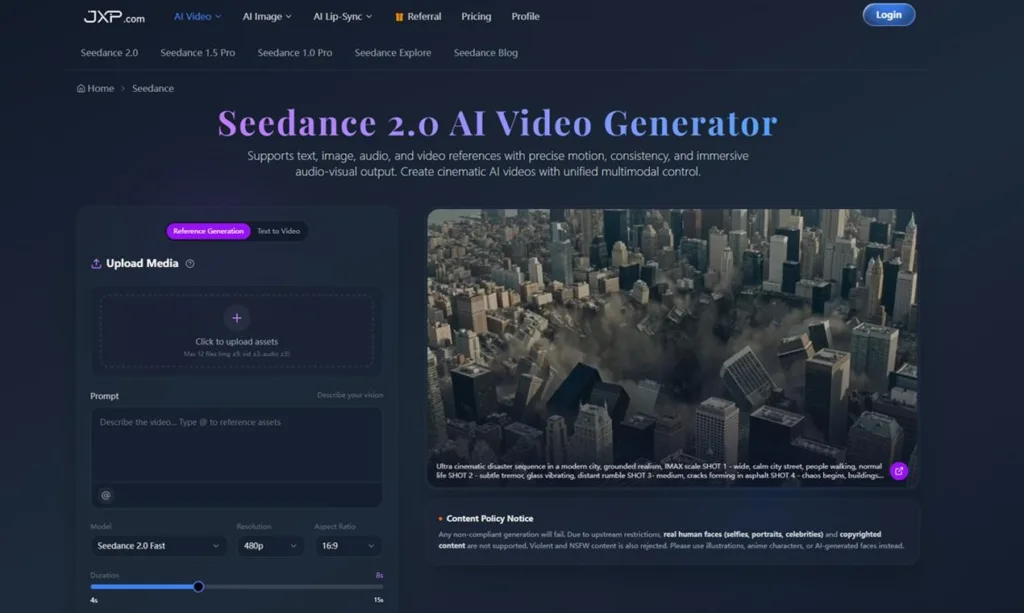
That is the space where Seedance is becoming relevant. Rather than treating video generation as a single text prompt, the platform is built around multimodal inputs, allowing users to work with text, images, video references, and audio when shaping a short clip.
AI Video Is Becoming a Workflow Tool
The AI video market has become crowded, with tools such as Runway, Veo, Kling, Pika, Luma, and Sora shaping expectations around quality and realism. But visual quality is only one part of the problem.
In everyday work, creators need more than a good-looking output. A brand team may need the same product to stay visually stable across several clips. A social media editor may need a video to match a beat or transition. A filmmaker may want to test camera movement before committing to a shoot.
This is why reference-based generation is becoming more important. Text can describe an idea, but images, video references, and audio can provide stronger creative direction.
What Seedance Adds to the Process
Seedance supports text-to-video generation, but its broader value is in letting users combine multiple types of creative input. A user can upload images, video clips, and audio files, then describe how those assets should influence the generated result.
This matters because many AI video problems come from lack of context. A prompt may say “cinematic product reveal,” but that does not always define the exact product, camera movement, lighting, timing, or mood. Reference assets give the system more to work with.
With Seedance AI Video Generator, the workflow can begin with existing material, such as a product image, a motion reference, or an audio cue. The result is a more directed process, where the creator is not starting from a blank prompt every time.
Why Multimodal References Matter
For short-form content, small details can decide whether a video feels usable. The motion may need to follow a specific rhythm. A transition may need to feel smooth. A character, product, or scene style may need to remain consistent.
Multimodal references help with this because they reduce guesswork. An image can guide the visual identity. A video can guide motion or camera language. Audio can guide pacing and atmosphere.
For a marketing team, this can support campaign variations without rebuilding every idea from scratch. For creators, it can help turn a static concept into a more polished short clip. For educators or trainers, it can make a visual explanation more engaging without requiring a full production setup.
Where Seedance Fits for Creators and Businesses
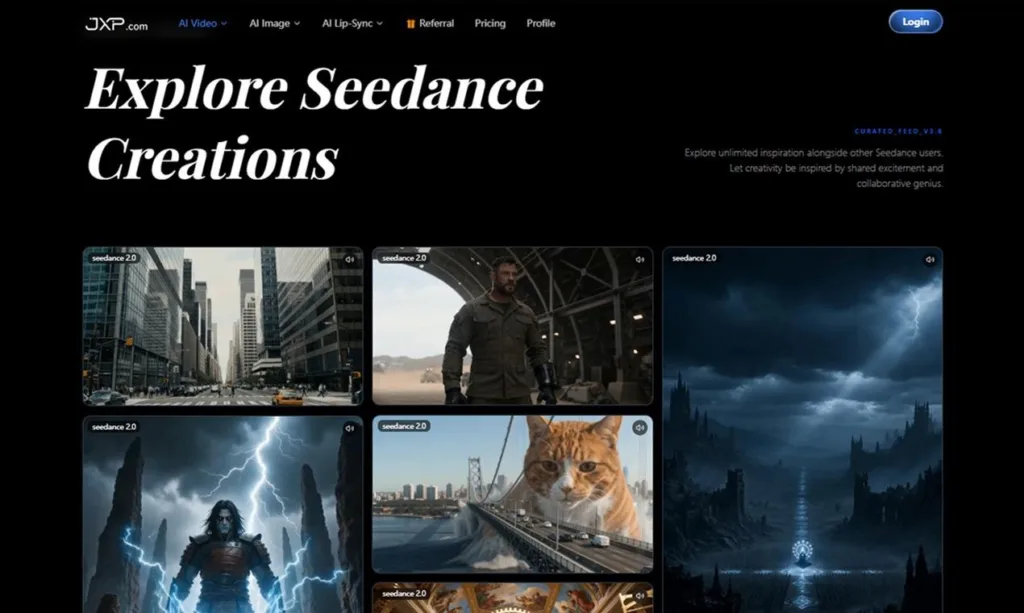
Seedance is most useful in the early and middle stages of content creation. It can help users test a concept, refine a scene, or create a short visual draft before investing in a more complete production.
For social media teams, it can support quick visual hooks for TikTok, Instagram Reels, YouTube Shorts, and other fast-moving channels. For ecommerce brands, it can help turn product ideas into short video concepts. For agencies, it can make campaign discussions more visual. For filmmakers, it can work as a previsualization tool for camera movement, mood, and choreography.
The practical benefit is speed with direction. The user still needs taste and judgement, but the tool can make the first moving draft easier to reach.
Editing and Refinement Are Part of the Value
One of the common frustrations with AI video is getting a result that is almost right. In a prompt-only workflow, a small change can require regenerating the entire clip.
Seedance addresses this type of problem with refinement options such as extending clips, merging videos, and editing specific segments. These controls are important because real content production is iterative. A creator may like the camera movement but need a longer ending. A marketer may like the product shot but want a cleaner transition. A team may want to connect two generated clips into one more complete sequence.
In that sense, the platform reflects a wider shift in AI media tools: the best results come not only from generation, but from generation plus adjustment.
A Practical Way to Use Seedance
A good workflow starts with a clear goal. Before generating, decide whether the clip is for a social post, product teaser, campaign concept, explainer, or previsualization.
Next, choose the strongest reference material. If the product, setting, or style matters, upload an image. If motion matters, use a video reference. If rhythm matters, include audio as part of the creative direction.
Then write the prompt like a short production note. Mention the subject, camera movement, lighting, transition, mood, and intended ending. After generation, review the result like an editor: check consistency, pacing, motion, and whether the video supports the message.
This approach makes creating AI videos with Seedance feel less like trial and error and more like a guided creative process.
Final Thoughts
AI video tools are being judged less by novelty and more by how well they fit into real creative work. The market is moving from simple prompt-based clips toward more controllable workflows built around references, timing, audio, and refinement.
Seedance fits into that shift by giving creators more ways to direct a video before and after generation. It may be useful for teams that need to test ideas quickly, create short-form content, explore campaign visuals, or build early drafts without starting every clip from scratch.
For anyone experimenting with AI video, the best place to begin is simple: start with one clear idea, add the right reference assets, and use the first result to sharpen the next version.