
Relumi focuses on fixing meaningful photos that cannot easily be taken again
Standfirst: Relumi joins a crowded AI photo market, but its pitch is more focused than most: helping users repair images that matter to them when the original moment has already passed.
The market for AI photo apps is already crowded with familiar promises. Most offer some mix of enhancement, beautification, background replacement or stylised transformation. What makes Wondershare’s Relumi more interesting is that it is trying to solve a narrower, more familiar problem: what to do with a photo that mattered, almost worked, and cannot realistically be taken again.
That may sound like a small distinction, but it changes how the product comes across. A forgettable selfie can be replaced. A group photo from a wedding, a family gathering, a school event or a trip often cannot. In those situations, people are not usually looking for a dramatic remake. More often, they want a believable fix that lets them keep the image without feeling that the original moment has been replaced by something artificial.

A narrower promise in a crowded market
That is the space Relumi is trying to occupy. The company describes the app as an AI photo retake tool, but the underlying appeal is closer to selective repair. It is being positioned less as a creative playground and more as a way to salvage images weakened by familiar problems: closed eyes, awkward expressions, flat lighting, slightly distorted angles or the visible wear that comes with older printed photos.
That makes the app easier to understand than many rivals. People do not need much explanation for why they might want to rescue the only usable family photo from a birthday dinner, improve a travel image captured at the right time but from an awkward front-camera angle, or restore an old print before sending it to relatives. Those are ordinary frustrations, not hypothetical ones.
Relumi’s core portrait tools are built around exactly that kind of everyday disappointment. According to the product’s current positioning, the app can correct closed eyes, soften awkward expressions and improve minor pose issues while preserving the broader scene. The same logic extends to group shots, where one or two faces can undermine an otherwise successful image. If those edits look natural, that alone gives Relumi a clearer consumer use case than many general-purpose AI editors.
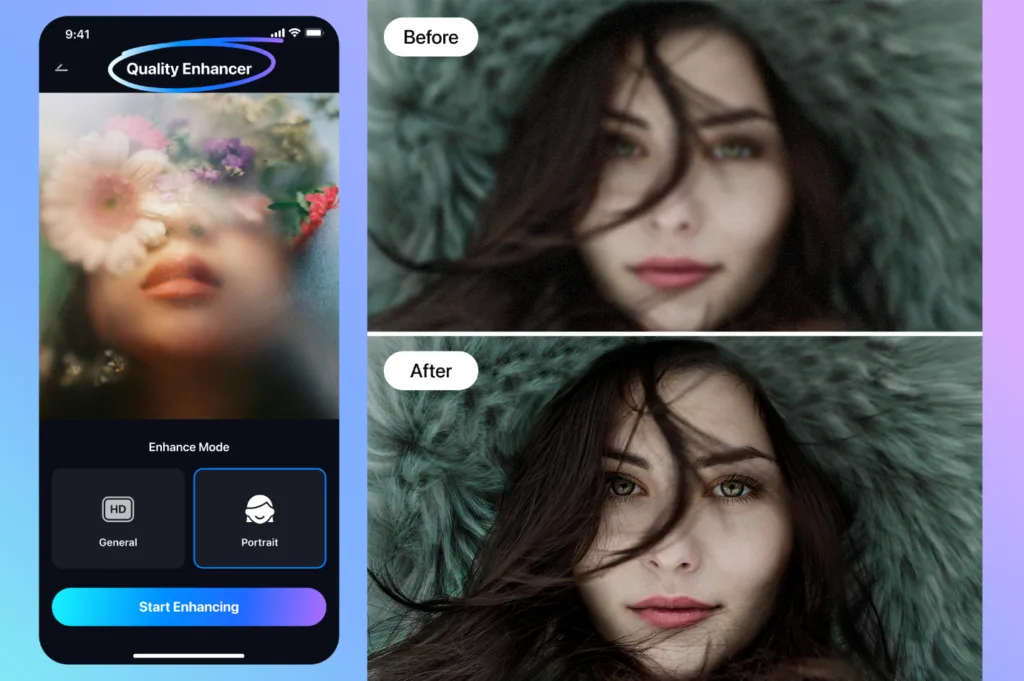
Repair versus replacement
There is a larger question underneath all of this: what counts as repair, and what starts to feel like replacement? That line matters, especially in a category where AI can easily drift from subtle correction into visible invention. Users may accept a blink fix or a slightly better perspective if the photo still feels like their own. They are less likely to accept an image that looks polished at the cost of credibility. Relumi’s value will depend in part on how consistently it stays on the believable side of that line.
The app also tries to address problems that are less obvious than a mistimed blink. One of them is atmosphere. Many phone photos are technically acceptable but emotionally flat. A restaurant shot can look dull under indoor light. A travel image can lose the warmth of golden hour. A portrait may capture the subject clearly enough while missing the feeling of the moment. Relumi addresses this through relighting and environment presets, which aim to bring back some of the mood the original scene had in person.
Another feature, 3D angle adjustment, tackles the distortions that often come with selfies and front-facing cameras. This is one of the app’s riskier ideas, because viewpoint changes can quickly move from correction into reinterpretation. Used carefully, though, it answers a real problem. People often have only one photo in a memorable location, and it may be weakened less by technical failure than by an unflattering perspective.
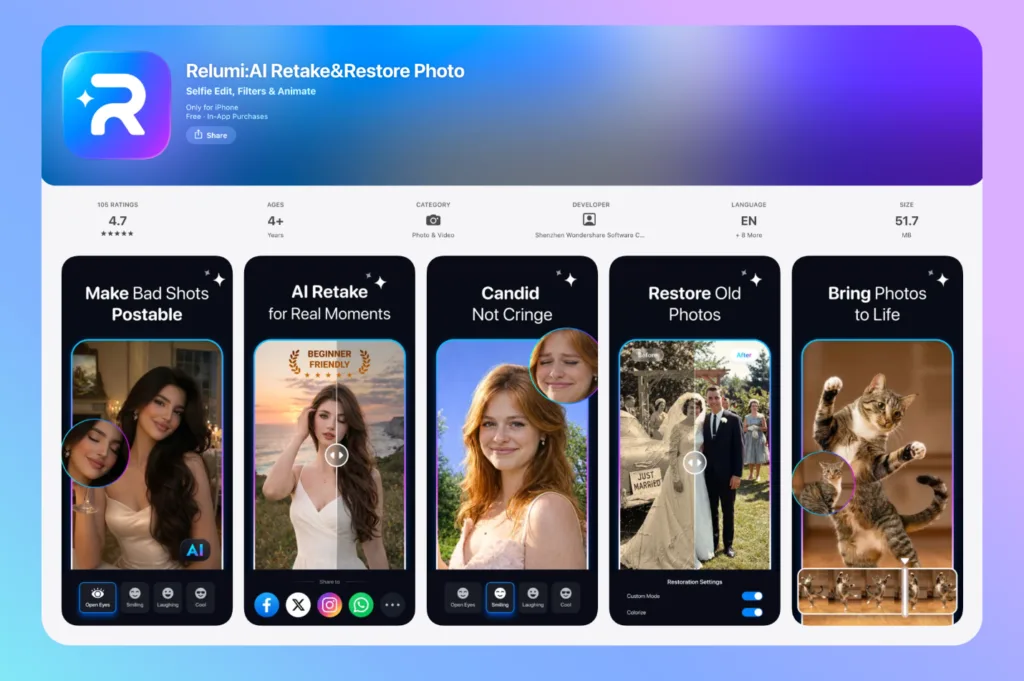
Beyond recent smartphone photos
Relumi also reaches beyond recent smartphone photography. Current app listings describe restoration features for old photos, including scratch repair, colour recovery, sharpness enhancement and object removal. That broadens the product from a tool for current social sharing into something closer to a memory-maintenance app. It also opens the door to a wider range of users: parents preserving family albums, travellers saving once-only moments, casual creators polishing everyday images, and people revisiting old prints that matter more for sentiment than for technical quality.
There is even a photo-to-video feature that adds motion to still images. That may be more polarising than the core repair tools, and it is easier to see it as a supplementary feature than a central one. Even so, it follows the same emotional logic as the rest of the app: helping static memories feel a little more vivid and a little less distant.
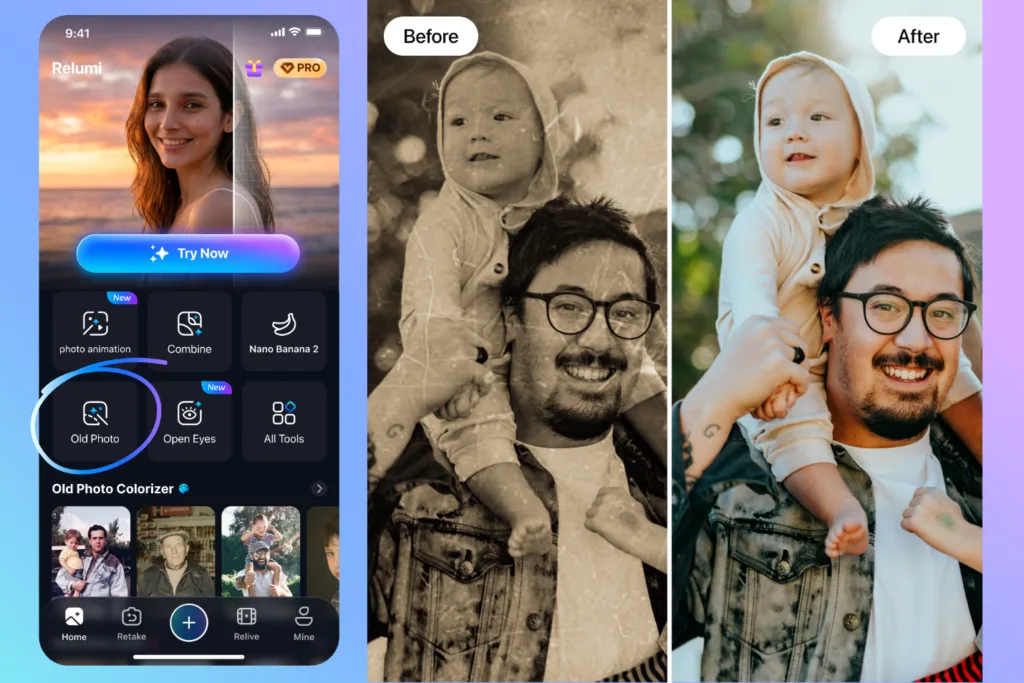
Relumi still enters a market full of overlapping claims. Its advantage is not that every feature is unique. It is that the product story is easier to grasp than most. “Fix the photo you cannot retake” is a plain-language promise, and plain-language promises often travel further than feature-heavy ones.
Whether that promise holds up will be decided by results, not positioning. Users do not care how many tools sit behind the interface if the corrected image no longer feels authentic. But if Relumi can regularly make flawed photos usable again without making them feel synthetic, it may have found a more durable niche than the average AI editing app.
Relumi is available on iOS and Android, with trial credits currently offered to new users.