
The Role of AI/ML Services in Building Smarter Mobile Applications
The total number of apps for the App Store and Google Play is about 8.9 million. Most of them can be ignored because users install them one time, open them two times and delete them a week later. In fact, apps lose 77% of their daily active users within three days from the day of installation.
Apps which survived the drop-off have something in common. The more time people spend using them, the more effective they become. They change, learn and predict actions of users without asking them to repeat actions. This kind of behavior is not design. It is the product of artificial intelligence/machine learning embedded in mobile application development process.
What AI/ML Services Mean in a Mobile Context
Given how broadly the term is applied, it is useful to define both its meaning and its non-meaning.
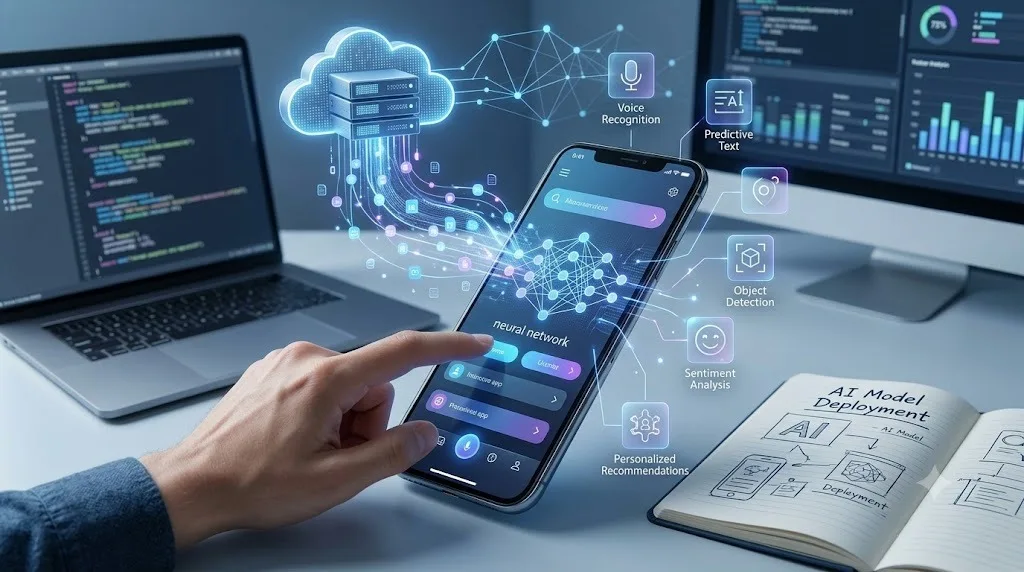
“AI/ML services, when talking about mobile apps,” is the suite of machine learning models, cloud ML inference APIs, on-device machine learning libraries and training solutions that enable developers to build intelligence into their apps.
What it is not, however, is an addition of a chatbot widget, which can then be called an “AI-powered app.” This is important since most mobile apps tout AI capabilities while offering just a plain old FAQ through keywords.
Personalisation Is a Business Function, Not a Feature
Almost all teams consider personalization a nice-to-have feature. However, in reality, personalization is one of the most ROI investments in developing a mobile app.
According to McKinsey’s study, personalization lowers customer acquisition costs by 50% and brings up to 5% to 15% higher revenue. Both figures are based on digital products, and the reasoning behind this process is quite simple.
Personalization through AI/ML service involves creating a user model based on behavioral data. Each tap, each scroll, each search request, each purchase and each drop-off becomes a signal. Using a recommender system based on such data, an algorithm is able to make a prediction on what the particular user will prefer next.
Predictive Features and Friction Reduction
The most underrated application of ML in mobile app development is not what it adds but what it removes.
Every step in a user journey is a potential drop-off point. A checkout flow with five steps loses more users than one with three. A search that returns irrelevant results loses users faster than one that ranks results by likely relevance to that user. A form that requires manual input loses more users than one that auto-fills from available context.
ML-powered predictive features reduce friction at each of these points. Predictive search anticipates what the user is looking for based on partial input and previous searches. Smart autofill uses on-device data to complete address and payment fields. Intelligent defaults set form values based on what that user has selected before.
On-Device ML Versus Cloud-Based Inference
Cloud-based ML inference means the app sends data to a server, the server runs the model, and the result comes back. It’s flexible, easy to update, and allows for more complex models than a phone can run locally. The tradeoffs are latency, cost at scale, and dependency on network connectivity.
On-device ML inference means the model runs directly on the phone using frameworks like Apple’s Core ML or Google’s ML Kit and TensorFlow Lite. It works offline. It’s faster for real-time tasks. And it keeps user data on the device, which has significant privacy implications.
Natural Language Processing in Mobile Apps
Voice interfaces and conversational features have gone from experimental to expected in the space of about four years.
Users now routinely search by voice, compose messages with speech-to-text, and interact with app assistants through natural language queries. For businesses building mobile apps with customer service or information retrieval functions, NLP is not optional any more. It’s what users expect.
The underlying infrastructure here is the NLP layer within AI/ML services. That layer handles speech recognition, intent classification, entity extraction, and response generation. A well-implemented NLP system understands that “what’s my balance” and “how much do I have in my account” mean the same thing, and routes both to the same function.
Computer Vision and Its Practical Uses in Mobile
Computer vision has moved from specialist use case to practical tool faster than most people expected.
Retail apps use it to let users photograph an item and find similar products in-store or online. Healthcare apps use it to analyse skin conditions from camera images. Real estate apps use it to identify furniture styles in listing photos.
For mobile app development teams, the practical consideration is that building these models from scratch is rarely the right approach. Pre-trained vision APIs from providers including Google Cloud Vision, AWS Rekognition, Apple’s Vision framework, and Azure Computer Vision offer high-accuracy models for common tasks with straightforward integration.
Where AI Integration in Mobile Apps Fails
The failure mode is predictable and common. A product team identifies a compelling ML-powered feature, builds it, ships it, and discovers that it doesn’t work well enough to be usable in production. The recommendation engine surfaces obviously irrelevant results.
The root cause is almost always data. ML models are only as good as the data they train on. An app with a small user base has insufficient behavioural data to train a meaningful recommendation model. An app with users who behave very differently from the labelled training dataset produces inaccurate inference. An app with inconsistent data logging produces a model that trains on noise.
Privacy, Data, and What Users Actually Accept
App Tracking Transparency on iOS changed the mobile advertising landscape permanently. When Apple required apps to explicitly request permission before tracking users across apps and websites, opt-in rates landed at around 25% globally. Three-quarters of iOS users chose not to be tracked.
That statistic tells you something important about user attitudes toward data collection. People use apps and accept that data collection happens. They don’t accept invisible, opaque, or expansive tracking that they can’t understand or control.
For mobile app development that incorporates AI/ML services, the practical implication is that the data model has to be defensible. Users need to understand what data the app collects, why the app collects it, and how that data improves their experience.
What Good AI-Driven Mobile App Development Looks Like
They start with a defined problem the ML is solving, not a feature brief that starts with “we should add AI.” The ML serves a function that’s directly connected to user value: faster task completion, more relevant content, fewer errors, reduced manual input.
They invest in data infrastructure before model development. Event logging is consistent, complete, and versioned. Feedback mechanisms exist so the model knows when it was wrong. Data quality is treated as a product requirement, not a data team concern.
They test ML features like any other product feature, with the addition of model performance metrics alongside standard UX metrics. Accuracy, recall, precision, and the proportion of predictions the model was confident about all need monitoring in production.