
Server Downtime Emergency Guide: What To Do When Your Website Goes Down
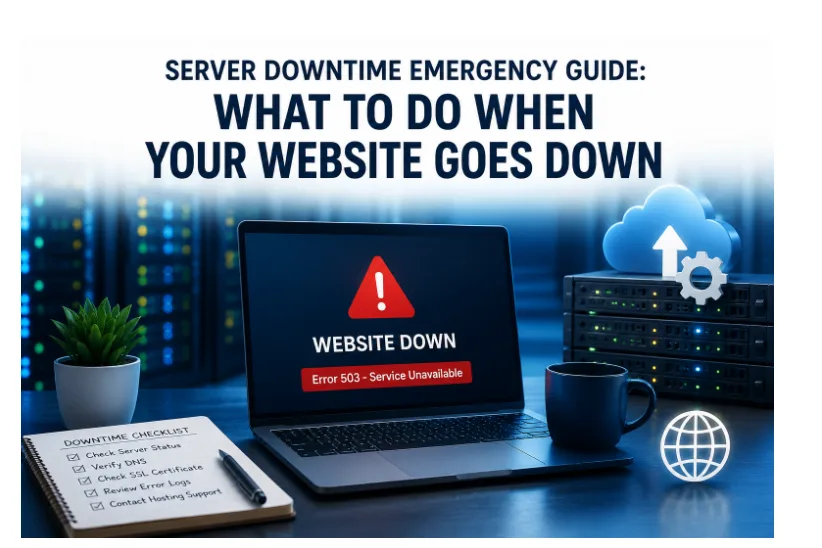
A website can go offline within minutes if the server cannot handle traffic, database activity, DNS requests, or unexpected resource spikes. The fastest way to reduce downtime is to identify whether the issue is caused by hosting infrastructure, DNS, SSL certificates, server overload, or application-level errors before the outage affects customers and search visibility further.
For businesses, downtime is rarely just a technical inconvenience. A failed checkout page, a 503 error, or an unreachable website during peak traffic can interrupt sales, waste advertising spend, and damage customer trust almost immediately.
Why Websites Go Down During Traffic Spikes And Server Outages
Most website outages happen when one part of the hosting environment becomes overloaded or fails unexpectedly. During traffic spikes, servers must process more page requests, database queries, cache operations, and application processes at the same time. If available CPU, RAM, bandwidth, or database resources become exhausted, websites may slow down or stop responding completely.
In other cases, the issue may not be traffic-related at all. DNS problems, expired SSL certificates, plugin conflicts, failed updates, firewall misconfigurations, or CDN errors can also take websites offline without warning.
Common downtime causes include:
- Sudden traffic spikes
- High CPU or RAM usage
- Database overload
- DNS or nameserver failures
- Expired SSL certificates
- Plugin or application conflicts
- Failed server updates
- CDN or caching issues
- Hosting infrastructure instability
Shared hosting environments are especially vulnerable during busy periods because multiple websites compete for the same server resources. If another account consumes excessive CPU or memory, neighboring websites may also experience slowdowns or outages.
The First 5 Minutes After Website Downtime: What Businesses Should Check First
The first priority is confirming whether the website is actually down for everyone or only affecting certain users or regions. Sometimes browser cache issues, local network problems, or DNS propagation delays can make a website appear offline even when the server is still operating normally.
Businesses should immediately:
- Test the website from multiple devices and networks
- Use uptime monitoring tools such as UptimeRobot or Pingdom
- Check whether DNS records are resolving correctly
- Verify SSL certificate status
- Review recent updates or configuration changes
- Check hosting dashboards for server alerts or resource spikes
If the website returns a 500, 502, 503, or timeout error, the issue is often connected to server overload, application failures, or database instability.
How To Confirm Whether The Problem Is DNS, Hosting, SSL, CDN, Or Server Infrastructure
Website outages can originate from several different systems, which is why identifying the source quickly is important.
If the domain does not resolve properly, the problem may involve DNS settings, nameservers, or propagation delays. If browsers display security warnings, the SSL certificate may have expired or failed to renew correctly.
In some situations, CDN services such as Cloudflare may cache errors or fail to connect with the origin server. A recent plugin installation, theme update, or application deployment can also create compatibility problems that break website functionality.
When websites become extremely slow before going offline, server resource exhaustion is often the cause. High CPU usage, overloaded PHP workers, memory exhaustion, or failed database queries can prevent the server from responding to incoming requests properly.
Checking server logs, uptime reports, database activity, and recent configuration changes usually helps narrow down the root cause faster.
Common Signs Of Server Resource Exhaustion During Traffic Spikes
Websites often show warning signs before a full outage happens. Slow admin dashboards, delayed database responses, failed API requests, and random timeout errors usually indicate that server resources are under pressure.
Other common indicators include:
- Sudden increases in CPU usage
- RAM consumption spikes
- Unusually high database activity
- Slow page generation times
- Intermittent 503 errors
- Failed checkout sessions
- Delayed login requests
Traffic spikes from viral social media posts, paid advertising campaigns, seasonal promotions, or email marketing can quickly overload servers that lack enough dedicated resources.
This is especially common on shared hosting environments where websites have limited control over CPU and memory allocation.
Emergency Steps To Reduce Downtime Quickly
Once the likely cause has been identified, businesses should focus on stabilizing the website before making unnecessary changes.
Important emergency steps may include:
- Disabling problematic plugins or extensions
- Rolling back recent updates
- Restarting failed services or applications
- Restoring recent backups if corruption occurred
- Temporarily enabling aggressive caching
- Reducing unnecessary server processes
- Contacting hosting support for server-level investigation
If traffic spikes are causing the outage, CDN integration and server-side caching can help reduce load while the issue is being addressed.
Businesses should also avoid repeatedly refreshing broken admin panels or running heavy backup processes during active outages because this can increase server pressure further.
Why VPS Hosting And Dedicated Server Infrastructure Improve Website Stability
Many websites experience repeated downtime because their hosting environment cannot handle growing traffic consistently. Shared hosting may work for small websites initially, but resource limitations become more visible as visitor numbers increase.
Thailand VPS hosting improves website stability by providing dedicated CPU, RAM, storage, and isolated server resources that help businesses maintain more consistent performance during traffic spikes and unexpected server load.
For websites with consistently high traffic, large databases, or resource-intensive applications, dedicated server infrastructure offers even greater performance stability and hardware-level control.
Businesses targeting users across the AEC and ASEAN regions may also benefit from regional VPS infrastructure that helps reduce latency and improve connection stability for nearby visitors.
How Caching, CDN Integration, And Server Optimization Help Prevent Downtime
Server optimization plays a major role in traffic handling and uptime stability. Even powerful servers can struggle if websites are poorly optimized.
Many businesses improve website stability using:
- LiteSpeed or NGINX web servers
- Redis object caching
- CDN integration
- Database optimization
- Image compression
- Server-side page caching
- PHP performance tuning
Caching reduces repeated page generation requests, while CDN services distribute static assets closer to users geographically. Redis caching can also lower database pressure during high traffic periods by storing frequently requested data in memory.
Together, these optimizations help websites process more concurrent visitors with lower server strain.
Why Monitoring And Preventive Maintenance Matter For Long-Term Stability
Downtime prevention depends heavily on monitoring and proactive maintenance. Businesses that actively track server performance usually identify bottlenecks before outages become serious.
Important monitoring areas include CPU usage, RAM consumption, disk activity, uptime reports, response times, database performance, SSL certificate expiration and backup status.
Real-time alerts from uptime monitoring tools can help businesses respond faster when performance issues begin affecting users.
Regular maintenance also reduces the risk of downtime caused by outdated software, broken plugins, or failed updates.
The Business Impact Of Website Downtime
Website downtime can affect far more than page availability. For eCommerce stores, SaaS platforms, publishers, and service businesses, even short outages may interrupt revenue generation immediately.
Downtime often leads to abandoned shopping carts, failed transactions, wasted advertising spend, lower search visibility, Higher bounce rates, lost customer trust and interrupted lead generation.
Search engines also evaluate user experience signals such as page responsiveness and website availability. Frequent outages can negatively affect long-term search performance if websites repeatedly fail during high-traffic periods.
Signs Your Website May Need VPS Hosting Or Dedicated Server Infrastructure
Many businesses wait until a major outage happens before upgrading their hosting environment. In most cases, warning signs appear much earlier.
Common indicators include:
- Slow website performance during busy hours
- Repeated downtime
- Resource limit warnings
- Database delays
- Unstable checkout performance
- Increasing traffic growth
- Slow-loading admin dashboards
Upgrading to VPS hosting or dedicated server infrastructure before traffic becomes unmanageable can help businesses maintain better uptime and performance consistency.
Building A Stronger Website Downtime Response Strategy
Website downtime is difficult to avoid completely, but businesses can reduce risk significantly through better preparation, monitoring, and hosting infrastructure planning.
A structured downtime response process, reliable backups, uptime monitoring, server optimization, and scalable VPS infrastructure all help websites recover faster when unexpected outages occur.
For businesses operating across Thailand and Southeast Asia, reliable Thailand VPS hosting and dedicated server Thailand infrastructure can help improve traffic handling, reduce latency, and support more stable long-term website performance.