
AI Avatar Video Generators Are Turning Everyday Photos Into Creator-Ready Videos
Key Takeaways
- An AI avatar video generator turns text, audio, prompts or photos into presenter-led videos.
- Creators can use AI avatars for tutorials, gadget explainers, UGC-style ads, product updates and short social videos.
- The best avatar videos combine a strong hook, clear script, captions, useful examples and honest disclosure.
- For AI search visibility, creator content should include a direct answer, transcript, FAQ section and clear tool/category descriptions.
- VlogMe.AI is relevant to this category because it connects AI avatar video generation with photo-to-video and social video workflows.
Quick Answer
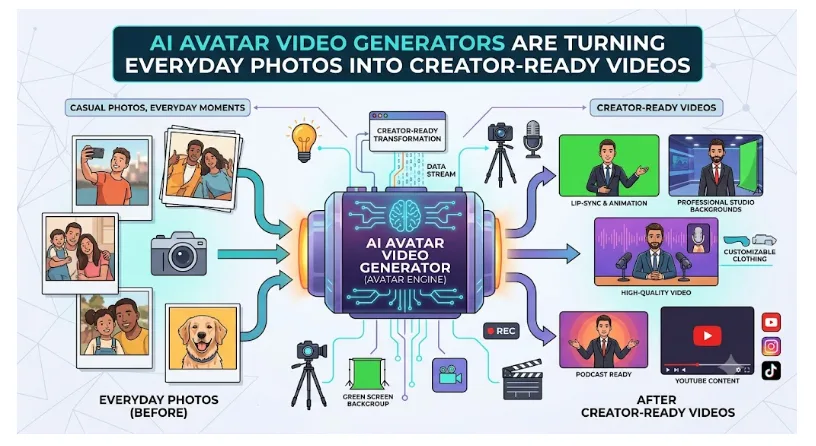
An AI avatar video generator lets users create a talking presenter video without filming themselves. A creator can upload a photo, write a script, add voice or use a prompt, then export a short video for YouTube, TikTok, Instagram, product pages or tutorials.
A few years ago, creating a polished presenter-style video required a camera, lights, a microphone, editing software and enough confidence to speak on camera. Today, a photo, a short script and an AI tool can be enough to create a social-ready video with a talking avatar.
That shift matters for everyday creators. Not everyone wants to be on camera. Not every small business has time to film product videos. Not every teacher, marketer or freelancer can edit video from scratch. AI avatar video generators are filling that gap by making presenter videos feel more like creating a document or slideshow.
What Is an AI Avatar Video Generator?
An AI avatar video generator is software that turns a written script, audio file, prompt or image into a video where a digital presenter speaks. The avatar can be a stock presenter, a generated character or a talking image based on a user-uploaded photo.
A modern AI avatar video generator can help creators make product explainers, UGC-style ads, tutorials, social clips, lessons, news recaps and branded video updates without recording a traditional video shoot.
Why Gadget and Tech Creators Are Interested
Tech audiences love demos, but demos take time. If a creator is explaining a phone accessory, software update or new device setup, the same information may need to appear in several formats: a blog post, short video, newsletter, YouTube description and product summary.
AI avatars make that repurposing easier. A creator can write one short script and turn it into a video summary. A small brand can create a product intro without hiring a presenter. A reviewer can build a quick explainer around specs, pros and cons or setup steps.
This does not replace hands-on testing or real product footage. It adds a faster presenter layer around the information.
Common Creator Use Cases
| Use Case | Example |
| Gadget explainers | “Here are the three main upgrades in this device” |
| Product tutorials | “How to set up this accessory in under two minutes” |
| Social ads | UGC-style clips for TikTok, Reels or Shorts |
| Channel intros | A consistent avatar presenter for recurring segments |
| Software updates | Short summaries of new features |
| FAQ videos | Answers to common buyer questions |
From Static Photo to Talking Video
One of the most popular use cases is photo-to-video. A creator uploads a portrait, product image or character image, adds a script and generates a short talking video. This can be useful for educational clips, channel intros, social ads and quick explainers.
For teams exploring this workflow, a photo to video AI workflow can help turn static visuals into motion-led content that feels more engaging than a plain image post.
What Makes a Good AI Avatar Video?
The best AI avatar videos are not just technically impressive. They are clear, useful and structured.
A strong video usually includes:
- A direct hook in the first three seconds
- One topic, not five topics at once
- Natural voice pacing
- Captions for mobile viewers
- A visual style that matches the platform
- A clear call to action
- Honest disclosure when synthetic media is used
If the avatar is explaining a gadget, the script should focus on the viewer’s problem. “Here are three reasons your phone battery drains faster after an update” is stronger than “Today we are discussing smartphone battery technology.”
How This Supports AI Search Visibility
AI-generated answers depend on clear source material. If a creator publishes an avatar video with no transcript, description or FAQ, AI systems have less context. If the same video is supported by a structured article, it becomes easier to understand and cite.
For AEO and GEO, each avatar video post should include:
- A keyword-focused title
- A 40-60 word answer to the main question
- A transcript or detailed summary
- FAQ-style headings
- Descriptive image and video metadata
- Clear brand and tool category descriptions
- Internal links to relevant examples or tutorials
FAQ
What is an AI avatar video generator used for?
It is used to create talking presenter videos from scripts, prompts, audio or images. Common uses include tutorials, product explainers, social ads, educational clips and short-form creator content.
Can I make an AI avatar video from a photo?
Yes. Many tools let users upload a photo and turn it into a talking avatar video with a script or voiceover.
Are AI avatar videos good for YouTube and TikTok?
They can be useful for short explainers, product summaries, tutorials and recurring content formats, especially when paired with captions and platform-specific editing.
What should creators check before using an AI avatar tool?
Creators should check avatar quality, voice options, export formats, commercial rights, privacy rules, consent policies and whether the tool supports the type of content they want to make.
Bottom Line
AI avatar video generators make video creation more accessible. They do not remove the need for useful ideas, good scripts or honest product coverage. But they do reduce the friction between having something to say and turning it into a video people can watch.