
Finding a Fluid PDF Editor for Mac is No Longer a Chore
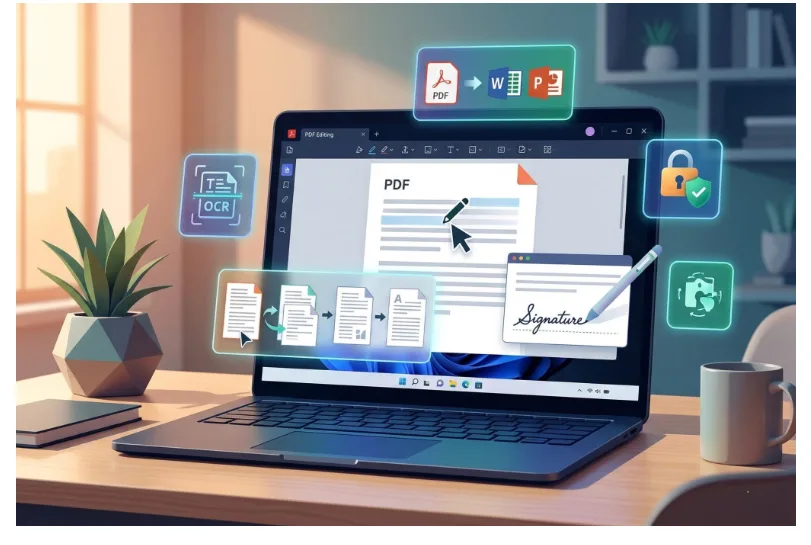
If you work on a Mac, you’ve likely developed a love-hate relationship with document software. Most of us settle for a compromise. We use Preview for quick glances because it’s fast, or we open a heavy-duty professional editor that feels like trying to steer a cargo ship through a narrow canal. For a long time, I just accepted that handling complex documents meant waiting for the interface to catch up with my clicks.
However, after integrating the latest version of KDAN PDF into my daily routine, that friction has started to vanish. It isn’t just about having more tools. It’s about how the software handles the weight of a heavy workload without slowing down the rest of my day.
Breaking the Cycle of Document Lag
The biggest hurdle with most Mac PDF editors isn’t a lack of features. It’s performance. Usually, when you open a document packed with high-resolution images or hundreds of pages, the app begins to stutter. Scrolling becomes a chore and jumping between sections feels like the software is constantly struggling to render.
With KDAN PDF, the experience feels significantly more native. The app stays responsive even when I’m deep into a long-form report. I noticed that I stopped dreading those bulky files. Navigation is fluid. The lag that usually accompanies large file rendering is gone. It is the kind of stability that lets you focus on the actual content of the work rather than the stability of the tool you’re using.
Smarter Tools for a Cleaner Workflow
Beyond just being fast, the latest version introduces a few specific tools that have genuinely simplified how I manage information.
Secure and Precise Redaction
Privacy is a constant concern when sharing documents externally. I’ve found the redaction tool in KDAN PDF to be far more reliable than the manual methods I used to hack together. It allows me to permanently remove sensitive data like names or financial figures with total confidence. The information is actually gone rather than just hidden under a black box. It’s clean, professional, and essential for handling client contracts.
Effortless Document Assembly
I often need to pull a single page from a massive research paper and merge it into a custom presentation. Instead of the clumsy workarounds I used to do, KDAN PDF makes rearranging, splitting, and merging pages feel like moving items around on a desktop. Being able to rotate or crop specific pages within a large file without the app freezing has saved me more time than I expected.
Releasing Information from Static Files
We all encounter documents where the information is visible but effectively locked. KDAN PDF provides two ways to release that data depending on the source. If you have a scanned paper that you just need to be able to search or edit, the OCR tool is the right choice. It recognizes text across dozens of languages, turning a static image into a searchable PDF. This is perfect for when you need to find a specific keyword in a 50-page scanned archive.
On the other hand, if you are looking at a digital report and need to import specific data for a spreadsheet, the AI Data Extract tool is a lifesaver. It saves me from the tedious task of manually re-typing figures into Excel. While they handle different file types, both tools share a common purpose. They bridge the gap between simply seeing data on a page and actually having the power to use it.
A Tool That Keeps Pace
Software should get out of your way. For a while, I thought I was stuck with a fragmented workflow, jumping between three different apps just to sign, edit, and compress a single file. KDAN PDF has replaced that mess by offering a high-performance environment that doesn’t buckle under pressure. It’s rare to find an editor that balances a deep feature set with a lightweight feel, but this version seems to have hit that sweet spot.
If you’re looking to reclaim your time and stop fighting with sluggish software, it’s worth checking out KDAN PDF on the App Store to see how it upgrades your flow.
The era of waiting for your software to respond might finally be behind us. It’s a subtle shift, but once you experience a workflow without the lag, it is very hard to go back.